
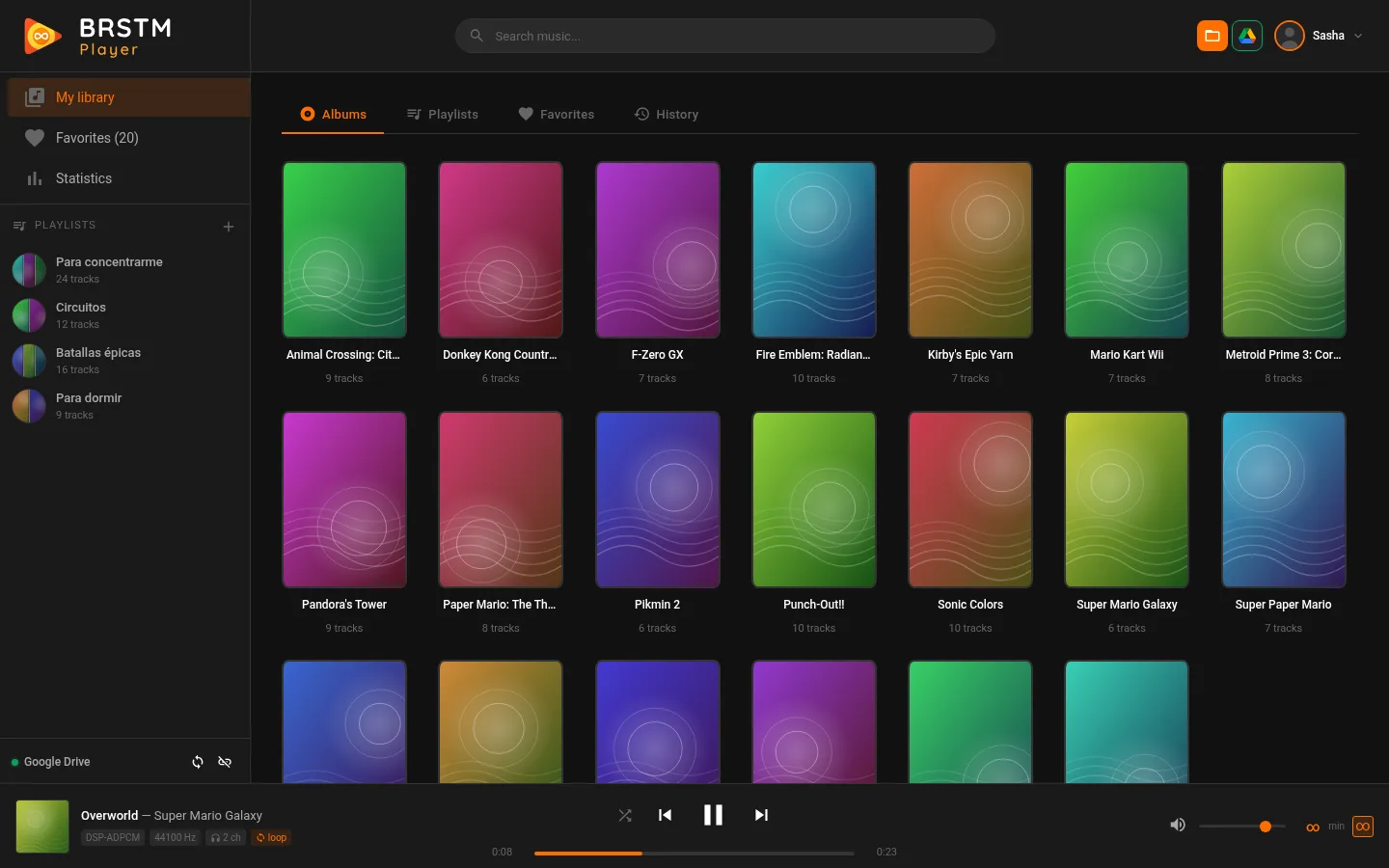
The format
Why listen to BRSTM instead of MP3
Video game music is not made to end. A two-minute theme is meant to repeat, without you noticing the seam, while you explore a level for half an hour. Wii and GameCube games store that music in BRSTM files: the audio plus the exact loop points where the theme starts over.
Convert it to MP3 and the loop is lost: the theme ends, or you have to repeat it by hand and the jump is audible. That is why "10 hours" videos exist on YouTube. BRSTM Player reads the original file and plays the loop exactly as the game designed it, as many times as you want, with no conversion and no quality loss.
What a BRSTM file is, explained in depthTime control
You decide how long each theme plays
This is what makes BRSTM Player different. Since a BRSTM can play forever, you choose how long you listen to each track before it fades into the next one. And you can set it at four levels, from the most general to the most specific. The most specific one always wins:
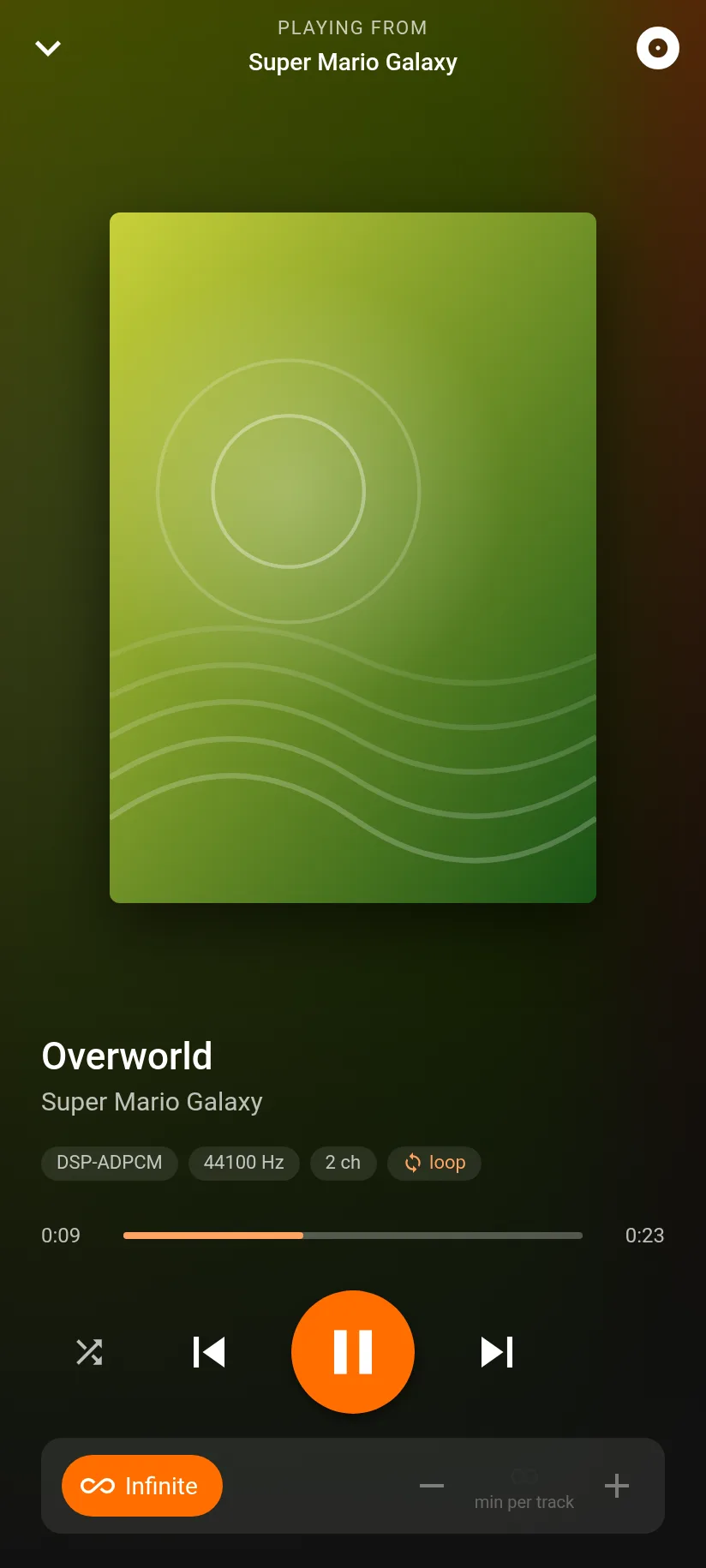
- InfiniteA single theme on a perfect loop: for studying, focusing, sleeping or setting the mood for a tabletop RPG session without a single cut.
- Per trackIs there a theme you love? Give it ten minutes on its own while the rest keeps its pace.
- Per album or playlistGo through a whole soundtrack at two minutes per theme, or set your "Work" playlist to six.
- GlobalYour default value for everything else. Tracks without a loop play in full, from start to finish.
Switch levels on and off: the most specific one always wins.
- Infinite modeThe ∞ button in the player: the track keeps looping with no limit.∞
- Track timeOnly for one specific track (track ⋮ menu).8 min
- Album or playlist timeFor everything played from that album or playlist.5 minApplies
- Global timeYour default value, in your profile.3 minAlways
Comparison
The easiest way to listen to looping game music
There are other ways to listen to these themes for hours. Here is how they compare:
| Converting to MP3 | "Extended" videos | BRSTM Player | |
|---|---|---|---|
| The game's exact loop | Lost, or you have to edit it | Depends on who made it | Always, the original one |
| Length | Whatever the file lasts | Fixed (1 h, 10 h…) | Infinite, or whatever you choose |
| Your own collection | Yes | No: whatever someone uploaded | Yes, in albums and playlists |
| Mobile data | Low | High (it is video) | Minimal: the file downloads once and repeats |
| Ads | No | Usually | No |
Your music is yours
Your files never leave your device
BRSTM Player is not a store or a catalog: we do not host or distribute music. It plays the files you choose, reading them straight from a folder on your computer or from your Google Drive, with a permission that only grants access to the files you select.
Our servers only keep what your library needs to work on all your devices: album and track names, your playlists, favorites, history and preferences. The audio is never uploaded. And since game music has authors, please only use files you have the right to listen to.
Our commitment to copyrightOn your phone
On your phone too, with the screen off
Connect your Google Drive and carry your library in your pocket, on Android and iPhone. Add BRSTM Player to your home screen and use it like an app: the music keeps playing with the screen locked and you control it from the lock screen, like any other player.
How to use it on your phone, step by step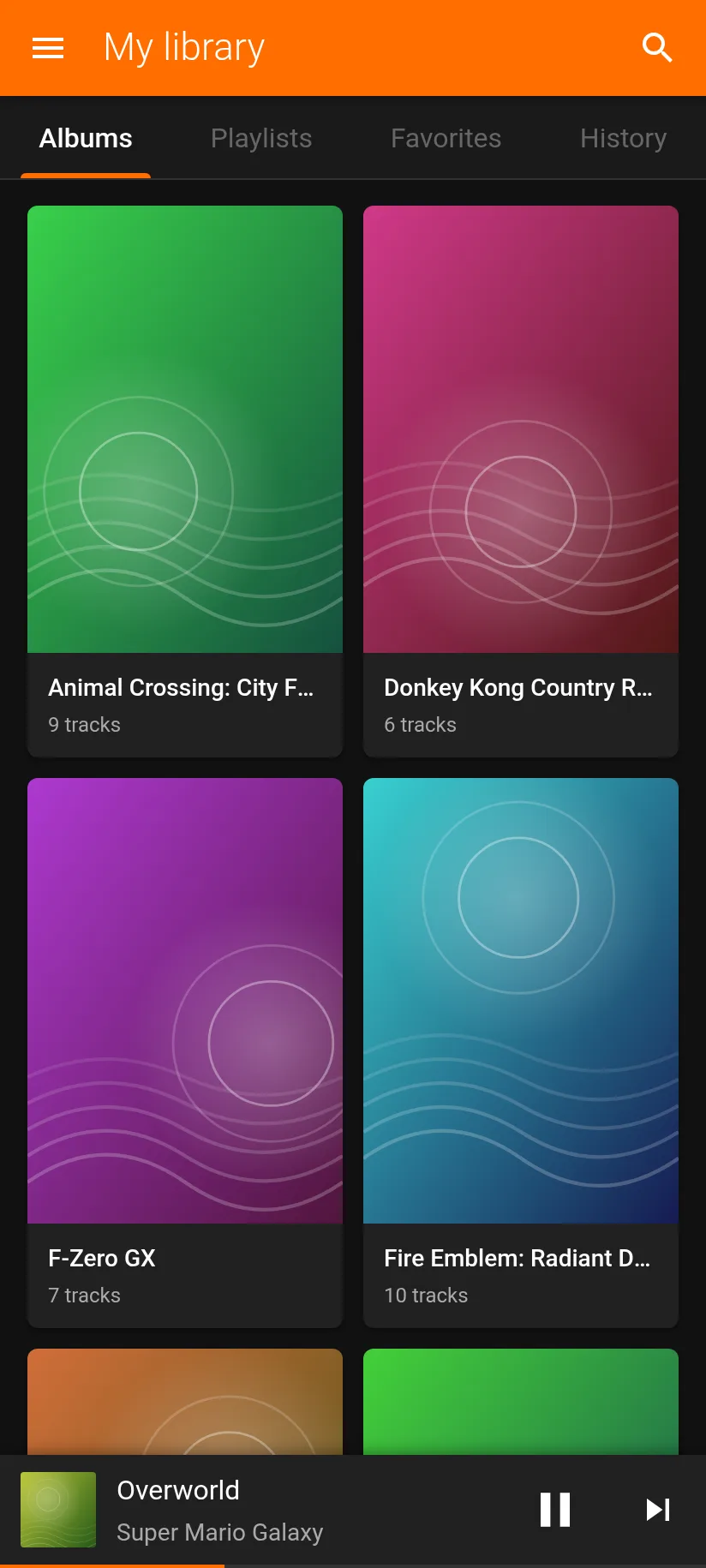
Frequently asked questions
Do I need to install anything?
No, it runs in your browser. On a computer, Chrome, Edge or Opera can open a folder on your disk; any browser (Firefox and Safari too) can play from Google Drive. On your phone you can add it to your home screen just like an app.
Where do I get BRSTM files?
BRSTM Player does not offer music downloads: it plays the files you already have. You can also make your own BRSTM files, with their loop, from audio you own: see our guide to making a BRSTM. What is a BRSTM? explains where these files come from.
Are my files uploaded to a server?
No. The audio is read in your browser, from your folder or your Drive. We only store your library data (names, playlists, favorites, history) so you have it on all your devices.
What is infinite mode?
A button (∞) that keeps the current track playing on a perfect loop, with no time limit, until you decide to change it. It is available on every track that has a loop.
Does it play BCSTM, BFSTM or other formats?
No: BRSTM Player specializes in BRSTM, the Wii and GameCube format. If you have another format, BRSTM tools lists tools to convert it.
Is BRSTM Player free?
Yes. You create your account for free, with your email or with Google, and get every feature: library, playlists, infinite mode, per-track timing, Google Drive and the mobile version. In the future there may be an optional paid account with extra features, but the essentials, and many more features, will stay free for everyone.
Learn more about BRSTM
What is a BRSTM?The Wii and GameCube audio format, how its loops work, and its siblings BCSTM and BFSTM. BRSTM toolsInspect a file, calculate loop points and find the best tools. Make your own BRSTMFrom a WAV to a looping BRSTM, step by step. Video game music for studyingWhy it works so well and how to build your perfect playlist.
Your game music, seamless
Create your account, pick your folder and press play. You will be listening in a minute.